
Download Desktop Orbiter – network management, remote access, desktop control, computer monitoring, secure network
Overview
Desktop Orbiter is a specialized tool designed for managing and controlling networked computers within small enterprise and educational environments. The application enables administrators to oversee multiple devices connected to a local network, providing centralized control over system access, software execution, and network activity. Its core purpose lies in enhancing both operational efficiency and digital security across limited-scale computing infrastructures.
For organizations with a small number of workstations, Desktop Orbiter offers a streamlined solution to manage remote systems without requiring complex IT setups. It addresses common challenges such as unauthorized software installation, unmonitored USB usage, and insecure remote access. By integrating robust security protocols and intuitive control mechanisms, the app helps maintain network integrity while minimizing administrative overhead.
The target users include IT administrators, school network managers, and small business owners who need reliable tools to monitor and manage multiple desktops. Although the developer, Orbiter Software, is not further detailed in the provided data, the app’s focus on security and usability suggests a purpose-built approach for non-enterprise settings. Real-world applications include classroom computer supervision, remote troubleshooting in small offices, and enforcing software policies across shared workstations.
Within the productivity app ecosystem, Desktop Orbiter occupies a niche role as a dedicated network management utility. Unlike general-purpose tools, it emphasizes secure, centralized control with a focus on prevention and monitoring—making it a valuable asset for institutions requiring consistent oversight without extensive technical support.
Key Features & Functionality
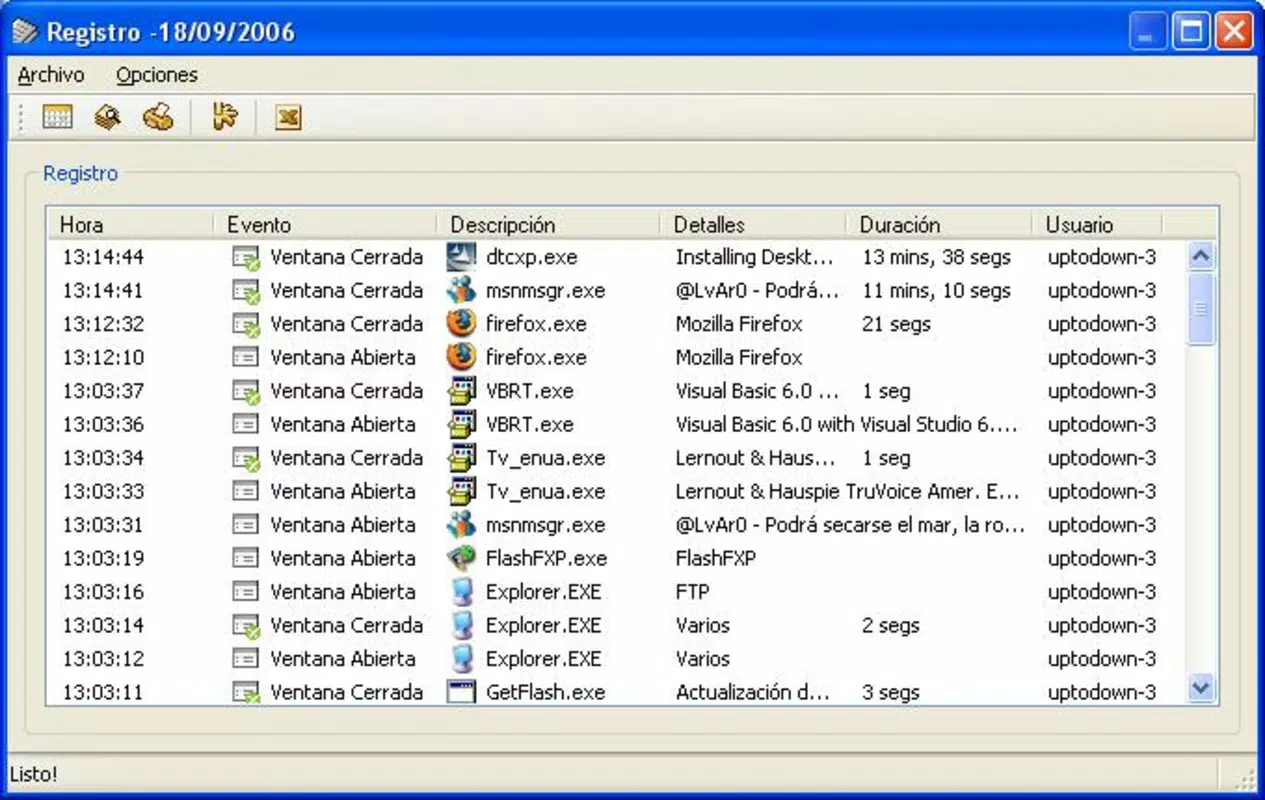
- Network Control: Administrators can remotely access and operate any device within the network. This enables real-time troubleshooting, software deployment, and system monitoring from a single interface.
- Software Execution Prevention: The app blocks unauthorized programs from running, reducing the risk of malware and ensuring compliance with organizational software policies.
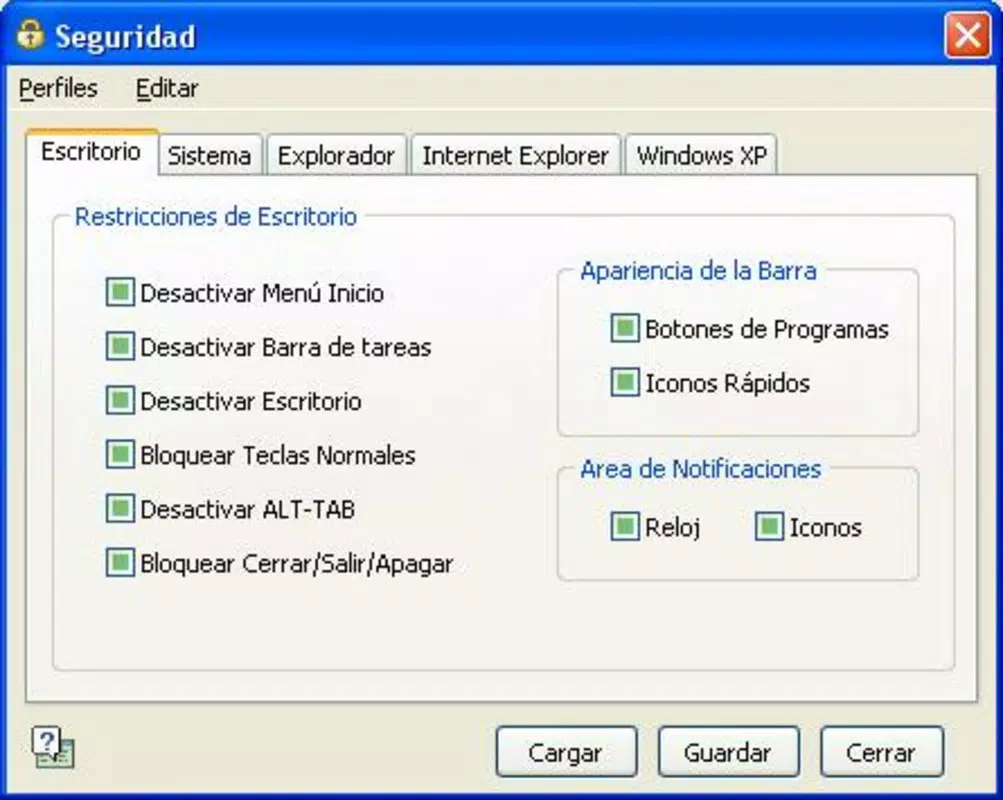
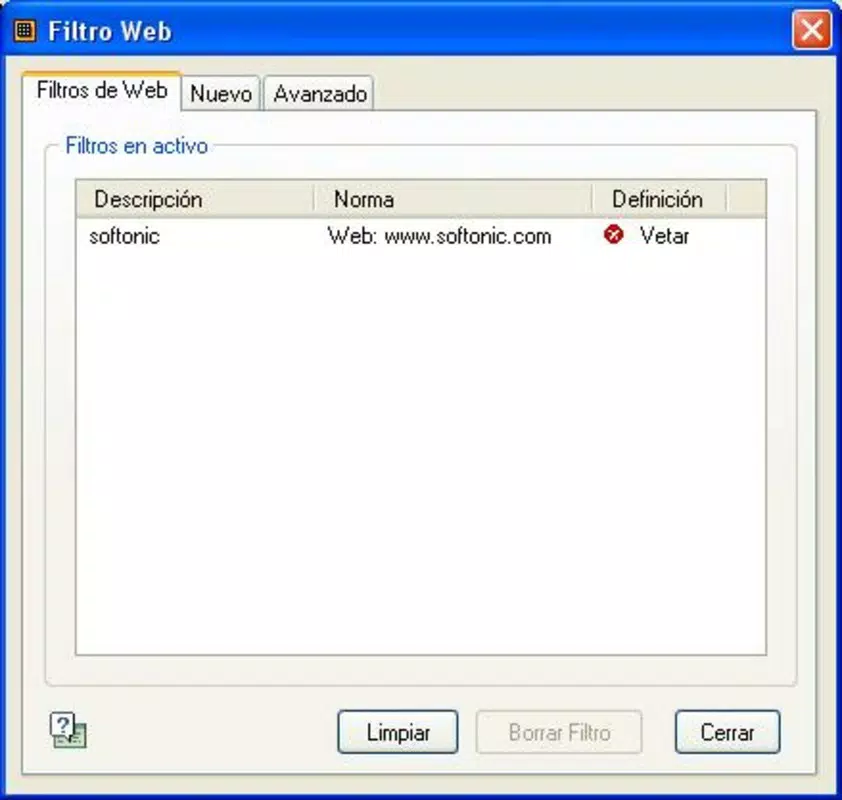
- Web and Device Access Restrictions: Users can disable access to specific websites and prevent USB device connections, minimizing exposure to external threats and data leakage.
- User-Friendly Interface: Designed for ease of use, the interface supports quick navigation and clear visual feedback, allowing non-technical staff to manage network resources effectively.
- 256-bit AES Encryption: All communication between devices is secured using industry-standard encryption, ensuring data confidentiality during remote sessions and transfers.
These features are particularly beneficial in educational settings where student devices must be monitored and restricted. For example, a teacher can prevent students from installing unapproved software during a lab session. Similarly, in a small office, an IT manager can remotely restart a frozen workstation without physical presence. The app’s focus on both control and security makes it a practical tool for environments where centralized oversight is essential but full-scale IT infrastructure is not feasible.
Interface, UX & Performance
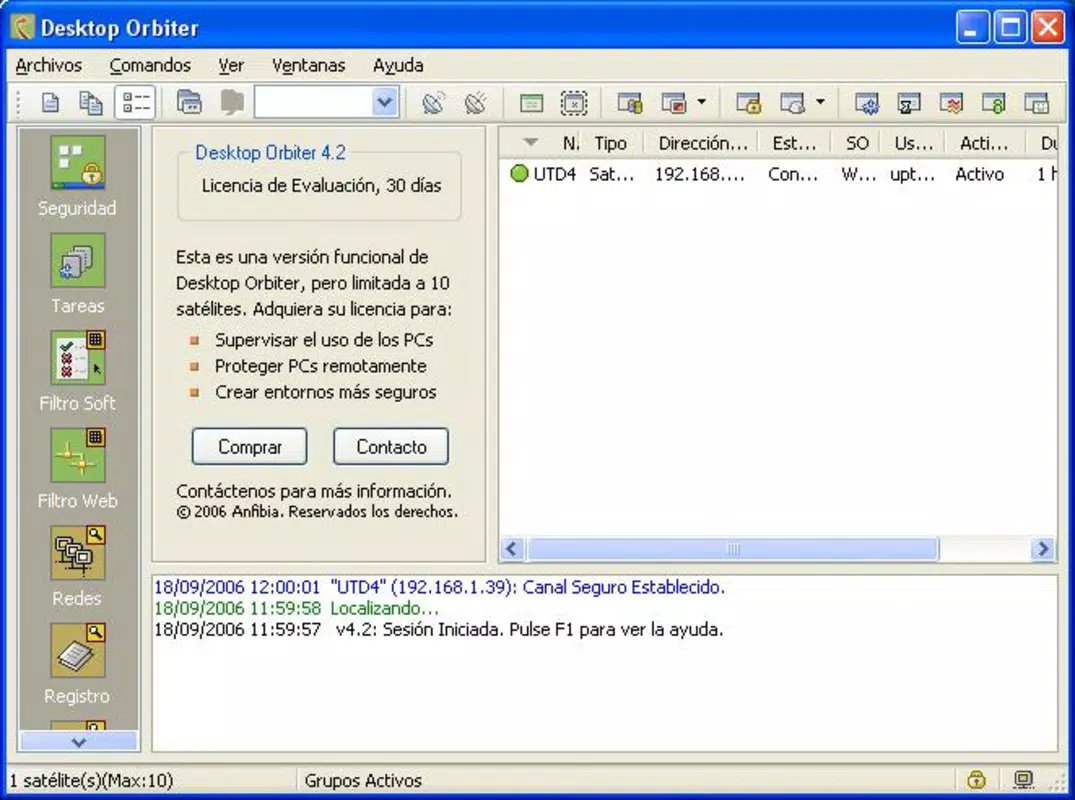
Desktop Orbiter presents a clean, functional interface that prioritizes clarity and ease of navigation. The layout organizes core functions—such as remote access, software control, and network monitoring—into clearly labeled sections, minimizing user confusion. Visual cues and status indicators help users quickly identify active devices and ongoing operations.
Navigation is designed to be intuitive, allowing users to switch between tasks with minimal clicks. Even individuals with limited technical experience can perform basic administrative actions, such as initiating remote sessions or applying access restrictions. The interface avoids clutter, focusing on essential tools and real-time feedback.
Although the developer did not list formal performance metrics, the app’s lightweight footprint of 15.3 MB suggests efficient resource usage. It is likely optimized for stable operation across mid-range Windows systems. Responsiveness appears to be consistent, with minimal lag during remote control sessions. Stability is expected to be reliable, especially in controlled environments with predictable network conditions.
Performance may vary depending on network speed and hardware capabilities, but the app’s design implies a focus on smooth, real-time interaction. Users should expect consistent behavior during standard operations, though heavy multitasking or high-latency networks could affect responsiveness. Overall, the UX reflects a mature, well-considered design tailored for practical, everyday use.
Platform Compatibility & Technical Requirements
Desktop Orbiter is available exclusively for the Windows platform. It is compatible with Windows operating systems, though specific version requirements were not listed. The app’s file size is 15.3 MB, indicating a compact installation that does not impose significant storage demands.
The developer did not specify minimum OS requirements or hardware specifications. As such, compatibility with newer or older Windows versions remains uncertain. Users should verify system compatibility before installation, especially when deploying across diverse devices.
Given its release date of January 24, 2012, Desktop Orbiter may not support the latest Windows updates or security protocols. However, its continued availability suggests ongoing maintenance or backward compatibility. For users seeking a lightweight, legacy-compatible solution, this may be a relevant consideration.
Pros and Cons
Pros
- Centralized control over multiple networked computers
- Strong security through 256-bit AES encryption
- Intuitive interface suitable for non-technical users
- Effective software and USB access restriction
- Compact file size and low resource consumption
Cons
- Platform limited to Windows only
- No information on OS compatibility or system requirements
- Release date indicates potential outdated technology
- Limited to small-scale environments
- Price point may be high for individual users
FAQ
Is Desktop Orbiter safe to use?
Yes, the app uses 256-bit AES encryption to secure all communication between devices, ensuring data remains confidential and protected from unauthorized access.
Can I use Desktop Orbiter on multiple computers?
Yes, the application is designed to manage multiple devices within a network, allowing administrators to control and monitor each connected computer from a single interface.
Is the app compatible with Windows 10 or 11?
The developer did not specify compatibility with specific Windows versions. Users should verify system requirements before installation.
Does Desktop Orbiter require an internet connection?
Desktop Orbiter functions primarily on local networks and does not require an internet connection for core remote access and control features.
How often is Desktop Orbiter updated?
Specific update frequency was not provided. Users should check the developer’s official site for the latest version and security patches.
Final Thoughts
Desktop Orbiter stands out as a focused, security-first tool for managing small-scale network environments. Its blend of remote access, software control, and encryption makes it a practical solution for schools, small businesses, and administrative teams needing reliable oversight without complex infrastructure. While its age and lack of detailed compatibility information present considerations, the app’s core functionality remains relevant for its intended use cases.
For administrators seeking a lightweight, affordable utility to monitor and secure networked desktops, Desktop Orbiter delivers tangible value. Its user-friendly design and strong security features justify its price for organizations that prioritize control and safety.
Download Desktop Orbiter now


